Inventory and purchasing
Your stock and purchases,under control.
Centralize spare parts, anticipate shortages and track every purchase, from the initial request to delivery.
Centralized inventory
One view across your stores
Replenishment
Thresholds to anticipate your needs
Full traceability
From request to receipt
Simpler purchasing
Suppliers, orders and deliveries
What you gain every day
Clear inventory, better-planned purchasing and spare parts available when your teams need them.
Stock visibility
Find quantities, locations and part availability without juggling spreadsheets.
Managed purchasing
Prepare orders based on field requirements and follow their progress in one place.
Targeted replenishment
Identify items below their minimum level and prioritize parts essential to maintenance.
Traceable movements
Link each receipt, issue and consumption to its reference to understand changes in stock.
Inventory and purchasing
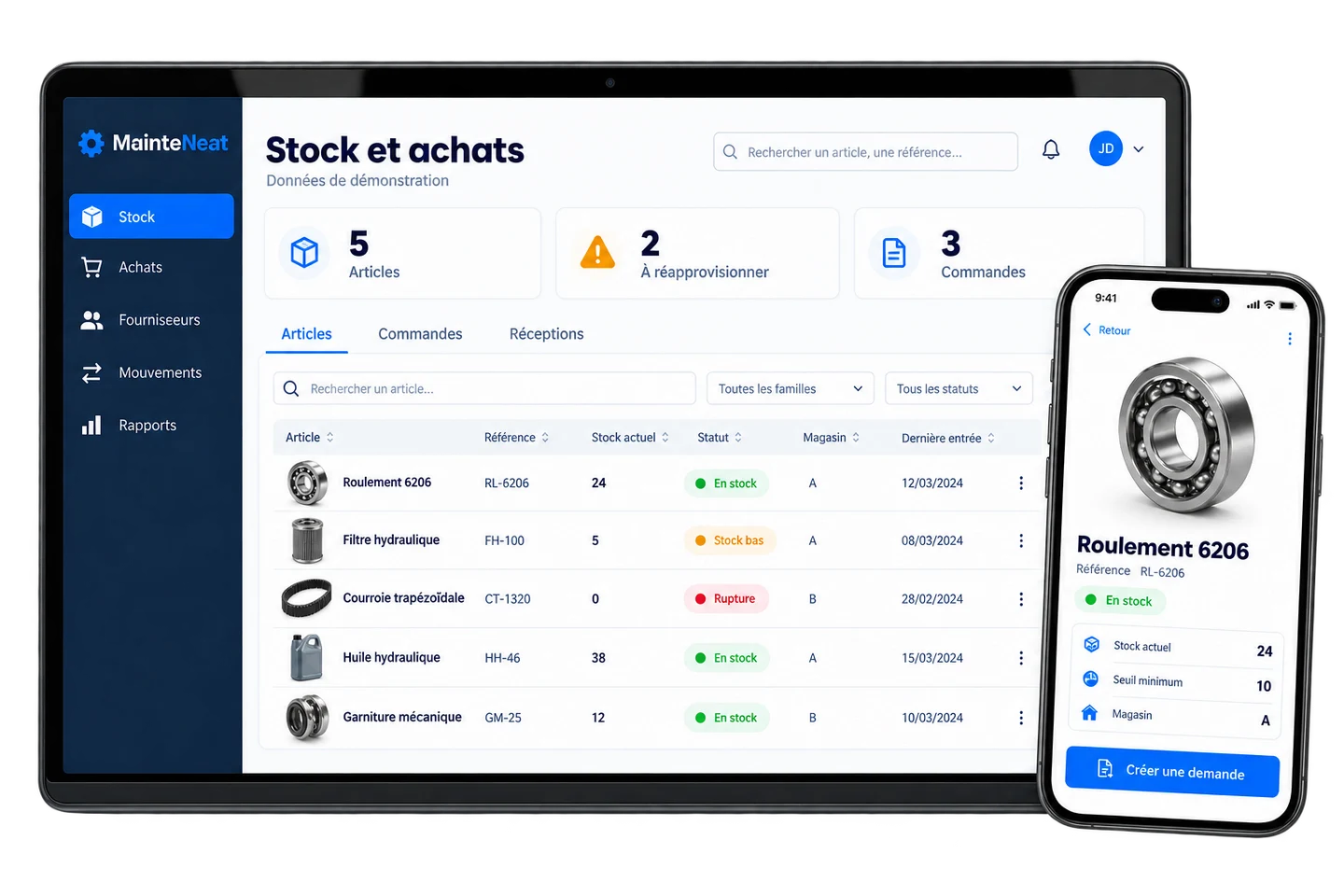
Sample data- Inventory items
- 5
- To replenish
- 2
- Orders
- 3
| Item / reference | Quantity | Minimum | Status | Store |
|---|---|---|---|---|
| 24 | 10 | In stock | Store A | |
| 5 | 10 | Low stock | Store A | |
| 0 | 5 | Out of stock | Store B | |
| 38 | 10 | In stock | Store A | |
| 12 | 5 | In stock | Store B |
Manage inventory flows from end to end
From item to order, then from delivery to maintenance, keep a shared view of parts and purchases. Each movement explains the stock level you see.
One up-to-date view
Items, stores, orders and receipts brought together in one environment.
Better-informed decisions
Identify low stock and prepare purchases before a missing part blocks a job.
The right part, in the right place
Find the store and location to guide your teams to available parts.
Every part tracked, every purchase managed
From stock levels to supplier deliveries, discover the features supporting your warehouse and maintenance teams.
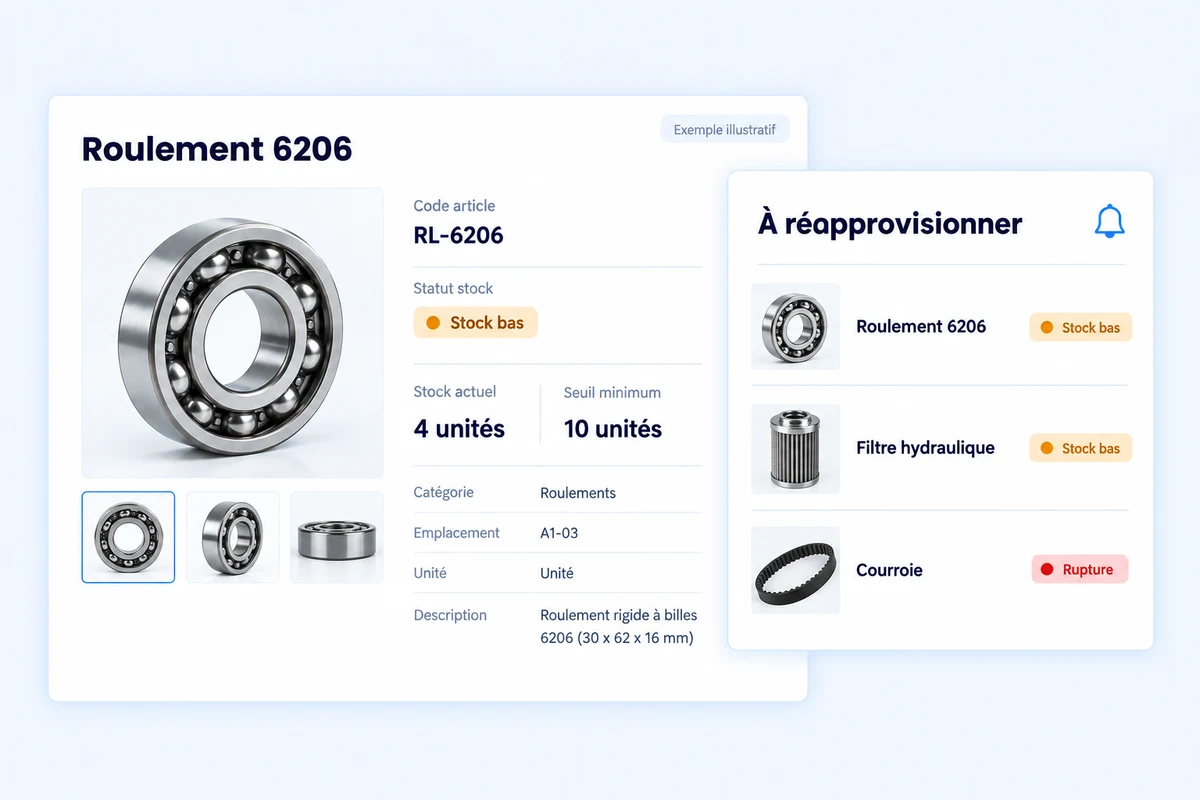
Anticipate shortages before a part runs out
Set a minimum level for your items and identify the parts that need replenishing. MainteNeat distinguishes available stock, low levels and stockouts. Use a clear replenishment list to prepare purchases and prioritize the parts required for your maintenance work.
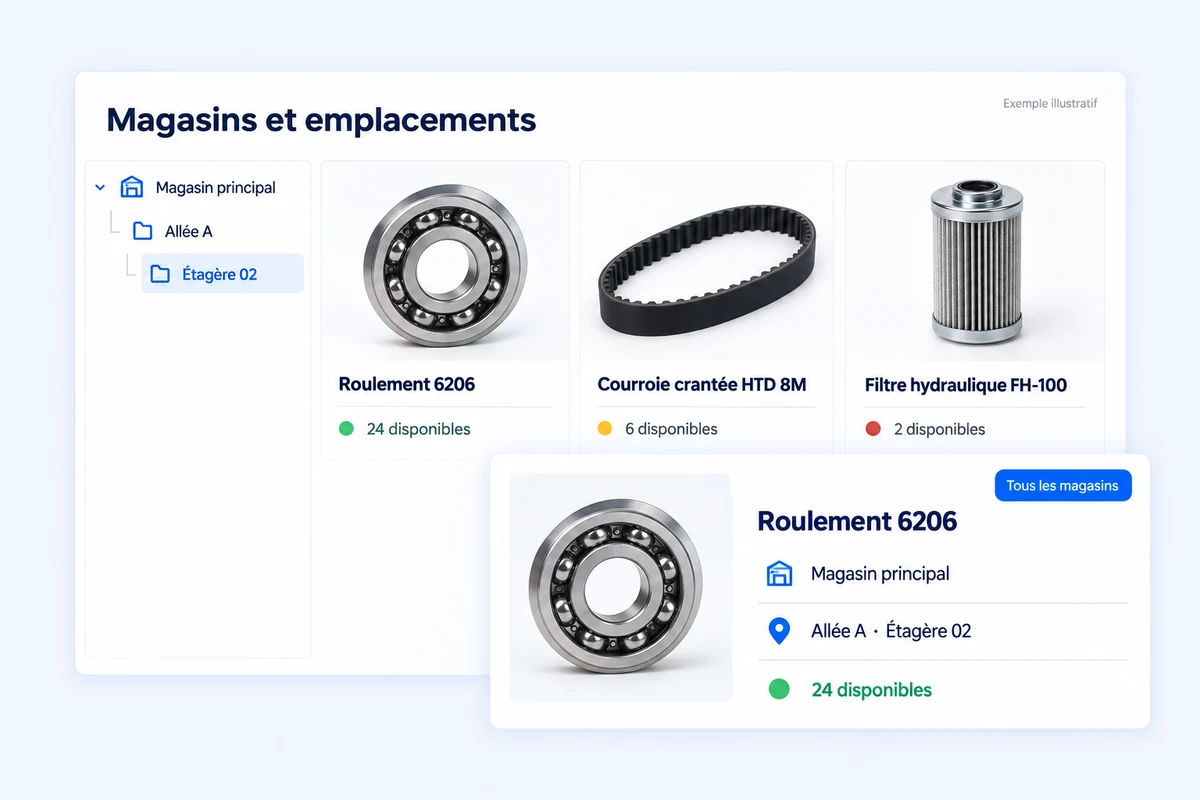
Find the right part in the right warehouse
Organize inventory by warehouse and storage location, then filter items to check availability. Your teams know where to find a part and how much is there. A shared view of your storage locations replaces searching through multiple spreadsheets.
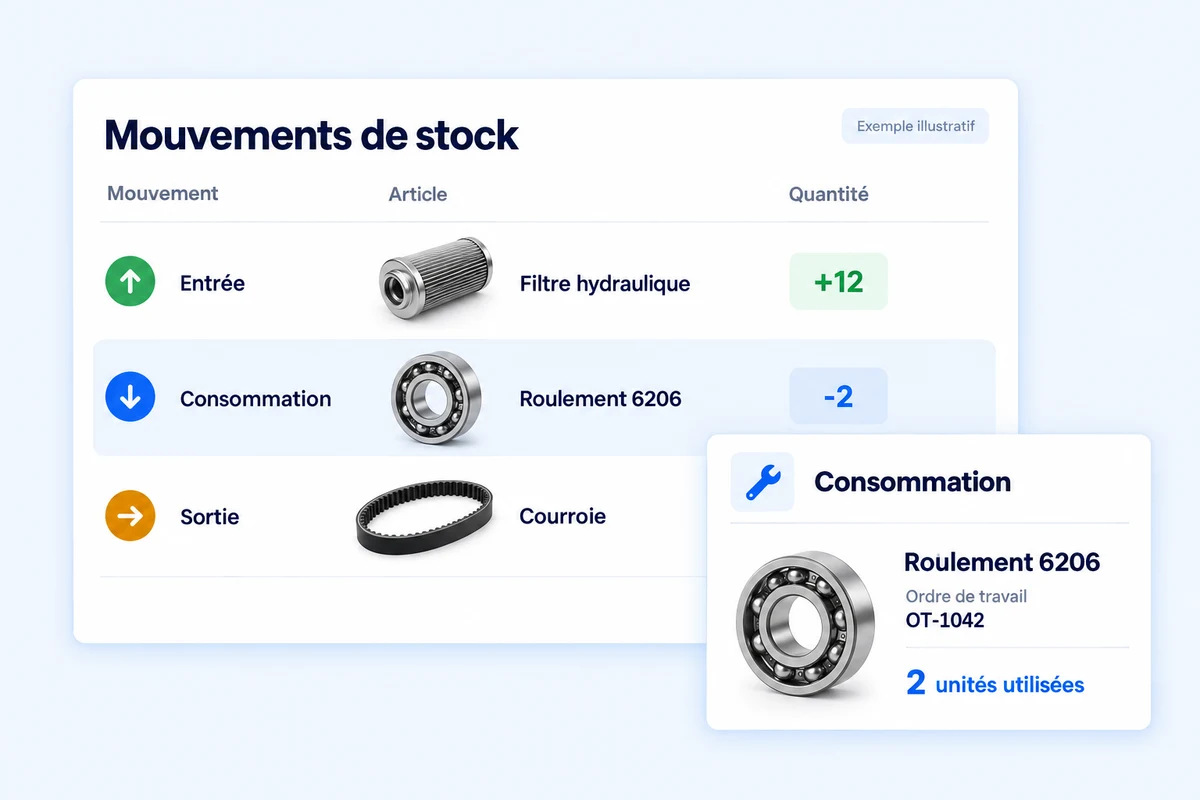
Keep a record of every stock movement
Review receipts, issues, transfers and consumption in a shared history. Find the item, quantity and context behind each movement, including parts used on work orders. Understand how your stock levels change and where your spare parts are being used.
Bring your stock records in line with the warehouse
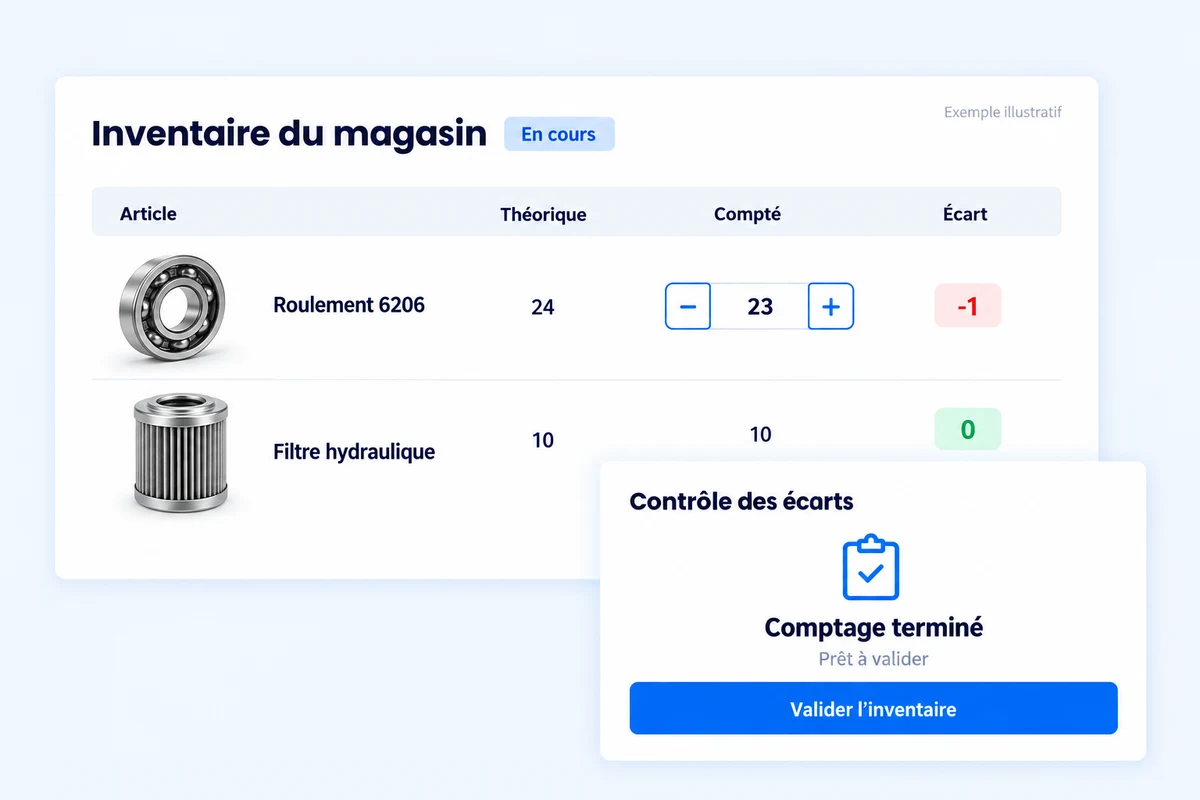
Prepare a stocktake, enter counted quantities and compare them with recorded stock. Discrepancies are visible for review before validation. Track counting progress from start to completion and retain validation details to improve the reliability of your warehouse quantities.
Bring orders, suppliers and receipts together
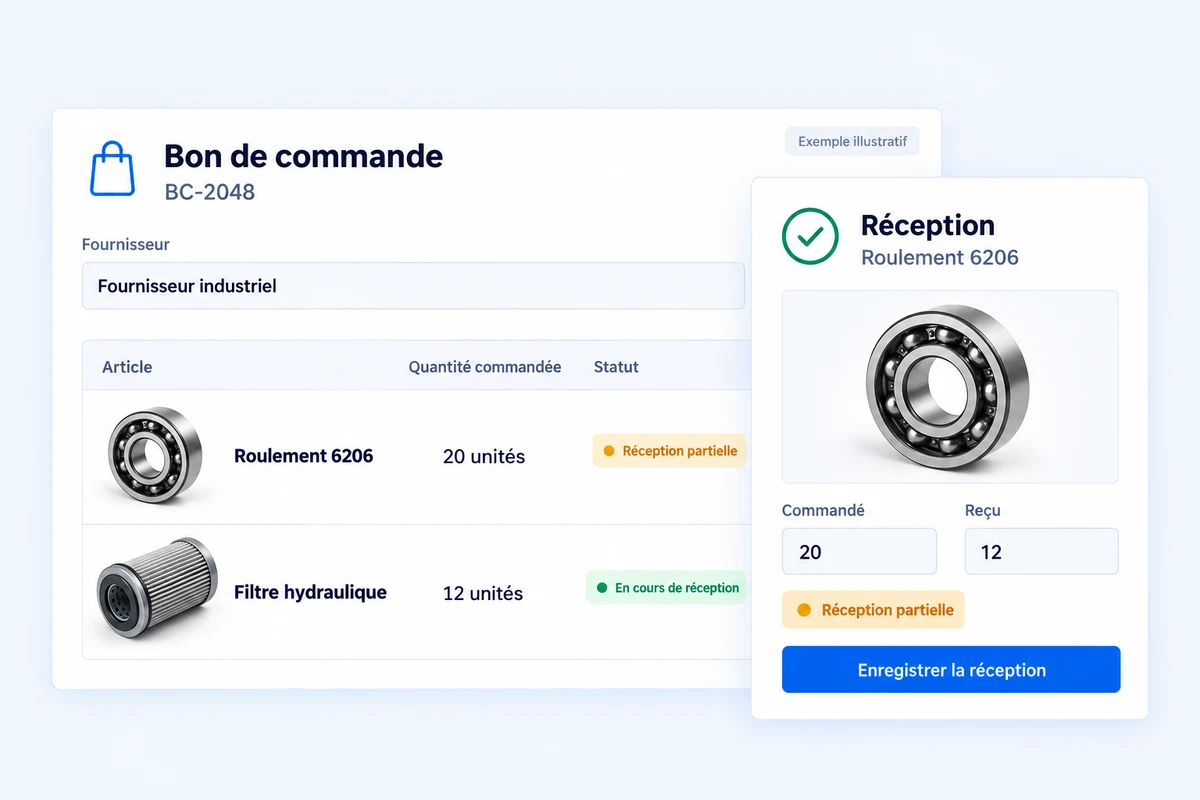
Create purchase orders with item references, quantities and the selected supplier. Follow pending orders and record received quantities, including partial deliveries. Assign parts to their warehouse and see what remains to be received without losing the connection to the original purchase.
Make informed purchases with inventory reports
Review inventory value, your most-used parts and dormant stock. Analyze incoming and outgoing quantities, stockouts and stocktake accuracy. Use these indicators to adjust replenishment and identify items tying up your budget.
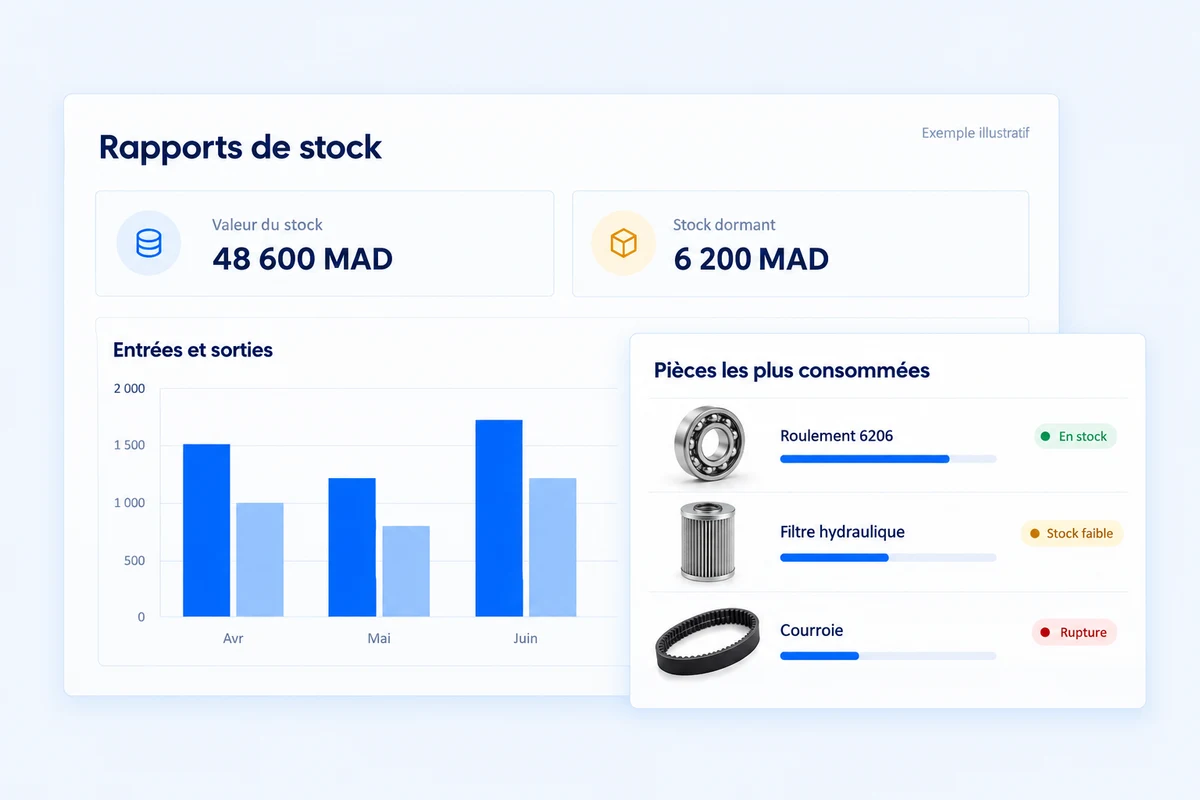
Illustrative MainteNeat module visuals in French, using sample data.
A clear purchasing journey, from need to delivery
Select a stage to see how information flows from your field teams to the warehouse.
The technician or warehouse team identifies a missing part, specifies the required quantity and connects the request to the maintenance context.
Your inventory and purchases at a glance
The module in under two minutes: items, thresholds, orders and receipts.
Connected to the rest of your CMMS
Spare parts belong to a bigger picture: your work orders, equipment and maintenance reporting.
Designed for your teams
The same information, useful to every role, from warehouse operations to purchasing decisions.

Warehouse manager
Manage levels, track receipts and find each part in its storage location.

Field technician
Check availability and record parts used during maintenance work.

Management and purchasing
Track orders, costs and requirements to prepare replenishment.
Results to measure, not guess
Use your movements and stock levels to measure improvements in your organization.
Fewer shortages
Monitor critical items before they run out.
Planned purchasing
Prepare requirements instead of managing emergencies.
Complete history
Find the source of every recorded movement.
Better stock control
Identify excess inventory and adjust quantities.
Inventory and purchasing questions
How can I check whether the module fits my needs?
The demonstration covers your use cases: stores, references, thresholds, orders and movements. Together, we review the scope and offer suited to your organization.
Can I manage multiple stores and locations?
Items are organized by store and location. You can find where a part is available and track movements without mixing up storage locations.
How are low stock and shortages identified?
Available quantities are compared with the minimum threshold set for each item. Statuses distinguish available parts, items needing replenishment and stockouts.
Can the module be used on mobile?
The interface adapts to mobile to look up references, availability and locations in the field. Available actions depend on each user's assigned permissions.
How should I prepare my items and suppliers?
Gather references, descriptions, units, storage locations and supplier information. During onboarding, we review your file structure and the import options suited to your data.